
Specialist Website Performance & Speed Services
Website Speed Optimizationfor WordPress & WooCommerce
A slow website is rarely caused by images alone. Your theme, plugins, database, hosting environment and the way resources load can all affect how visitors experience your site. BlueBit starts with a technical diagnosis, identifies the most important bottlenecks and implements a practical optimization plan for your WordPress website or WooCommerce store.
Technical Audit FirstWordPress & WooCommerceMobile & Desktop Testing

↗Smoother User Experience
◎Core Web Vitals Analysis
⚙Faster Resource Loading
▣eCommerce Performance Focus
Signs of a Slow Website
Your Website Feels Slow, butthe Root Cause Is Not Always Obvious
Installing a caching plugin does not automatically fix every performance issue. We look at rendering delays, network requests, database activity and interaction problems before recommending changes.
Tell Us About Your Speed Issues →Our Website Speed Optimization Services
Three Core Areas ofTechnical Performance Optimization
Some sites need a focused set of fixes; others need coordinated improvements across the front end, WordPress and hosting. The right scope depends on what testing reveals.
Front-End Performance Optimization
Reduce unnecessary assets and improve page rendering so visitors can view and interact with important content sooner, especially on mobile devices.
- Properly sized images and modern formats
- CSS and JavaScript optimization
- Font loading and initial rendering
WordPress, Database & Caching
Identify expensive plugin operations, slow queries and unnecessary background processing. Configure caching around the way your website actually works.
- Plugin and slow-query investigation
- Database and background task review
- Hosting-aware caching configuration
WooCommerce Speed Optimization
Improve performance where it matters to shoppers while protecting the dynamic features that keep product, cart and checkout information accurate.
- Product and category pages
- Cart and checkout experience
- Cache rules for dynamic store data
A Practical Approach to Performance
What Professional Website Speed Optimization Involves
Website speed optimization is a combination of front-end engineering, server-side analysis and careful testing. A page can have compressed images and still feel slow because a third-party script blocks rendering, a large stylesheet delays the first paint or the server spends too long building the response. We investigate those causes rather than applying the same plugin settings to every project.
For WordPress websites, the most useful improvements often come from understanding how the theme and plugins behave together. That can involve refining CSS and JavaScript delivery, optimizing fonts and media, diagnosing database queries or adjusting caching around logged-in users and dynamic pages. When a site also needs long-term oversight, our website maintenance services help keep changes controlled after launch.
Performance work should also respect what your website is built to do. Lead forms, multilingual content, booking tools and custom WordPress and WooCommerce features all place different demands on the system. We prioritize the pages and interactions that matter to visitors and your business, then review the impact of each change.
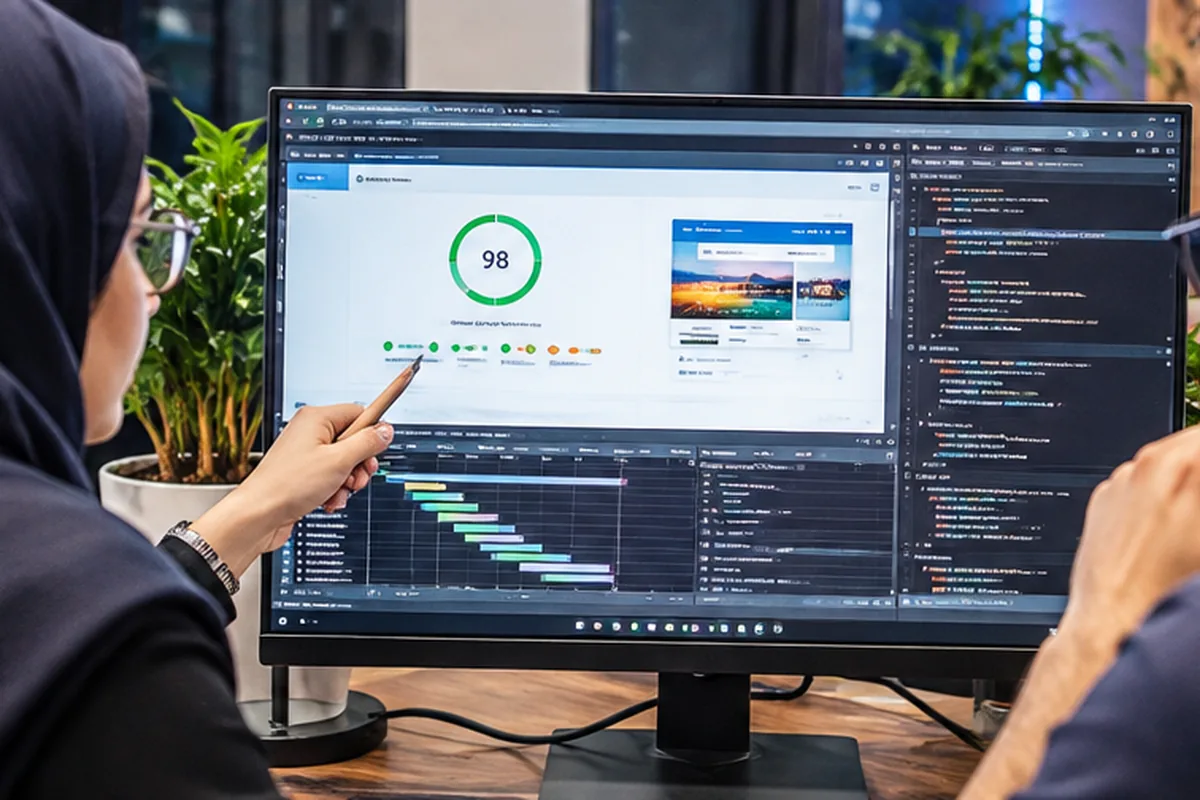
Test and Analyze Before Changing Anything
Website Optimization Starts with Diagnosis,Not Guesswork
PageSpeed Insights and performance tools provide valuable clues, but responsible optimization also considers real page behavior, request waterfalls, render-blocking assets, server response times and plugin conflicts.
- Review mobile and desktop performance and prioritize bottlenecks
- Assess LCP, INP and CLS in the context of each page
- Test planned adjustments before deployment on a live site
- Recheck results and safeguard essential website functionality
User Experience & Performance Metrics
A PageSpeed Score Is Not the Whole Story—Real User Experience Matters
Effective optimization considers how quickly main content appears, how responsive the page feels and whether the layout remains stable. We interpret metrics in the context of page purpose and available performance data.
Our goal is a meaningful improvement in website performance, not a promised score. Results vary with the theme, hosting, features and connected services.
LCP
Largest Contentful Paint
Measure when the main visible content finishes rendering.
INP
Interaction to Next Paint
Investigate delays after clicks, typing and other user actions.
CLS
Cumulative Layout Shift
Reduce unexpected movement of page elements as they load.
WooCommerce Performance Optimization
A Faster Online Store MustKeep Shopping and CheckoutWorking Reliably
On an eCommerce website, poorly configured caching can cause stale stock information, broken carts or incorrect customer sessions. We tune WooCommerce performance with product browsing, dynamic requests and payment flow in mind.
Review My WooCommerce Store Speed →Product Pages
Optimize product images, galleries, scripts and the delivery of item details.
Shopping Cart
Review dynamic requests and ensure cached content does not interfere with cart updates.
Checkout
Reduce unnecessary load without disrupting payments or order validation.
Server & Database
Inspect resource-heavy queries, scheduled tasks and background processing.
Performance That Supports Growth
Build a Faster Website Without Sacrificing Functionality
Faster page loading is useful only when the website remains dependable. Optimization for an online store must preserve product variations, cart updates, checkout sessions and payment integrations. The same principle applies to contact forms, CRM connections and custom workflows. We test the functions that matter most before considering an optimization task complete.
Website performance also changes over time. New plugins, marketing tags, products and design features can introduce fresh bottlenecks. For growing businesses, a repeatable process of testing and maintenance is more valuable than a one-time score. If the underlying problem requires custom engineering, BlueBit can combine performance work with custom WordPress plugin development or API integration as part of a defined project scope.
How We Work
From Root-Cause Analysis toMeasurable Performance Improvements
01
Initial Assessment
Review your URL, key page types, infrastructure and reported symptoms.
02
Prioritize the Work
Define improvement opportunities, technical risks and the project scope.
03
Implement & Test
Apply fixes while checking layouts, forms, logins and purchase flows.
04
Reassess & Handover
Evaluate the results and outline maintenance and follow-up recommendations.
Frequently Asked Questions
What to Know Before Ordering Website Speed Optimization
The right approach depends on your theme, plugins, hosting, site size and current performance. Here are answers to common questions.
Ask BlueBit a Question →Is installing a caching plugin enough to speed up a website?
Caching may help, but image delivery, scripts, hosting, slow database queries and plugin overhead can still be bottlenecks. A technical review identifies where work is most valuable.
Can you improve WordPress speed without changing the theme?
Often, yes. We can frequently optimize assets, caching, plugins and other components without replacing the theme. However, fundamental theme limitations can restrict further gains.
Do you optimize WooCommerce store performance?
Yes. We review product pages, cart and checkout behavior, plugins, the database and hosting. Critical shopping actions are tested after changes.
Do you guarantee a 100/100 PageSpeed score?
No. Scores depend on the hosting stack, theme, third-party services and page functionality. We focus on relevant bottlenecks and testable improvements in user experience.
Can speed optimization break website features?
Incorrect cache rules and aggressive JavaScript or CSS changes can cause visual or functional problems. We therefore favor backups, staged changes and testing of essential features.
How is website speed optimization priced?
Pricing depends on the current condition of the site, number of pages and plugins, hosting access and complexity of the required work. We provide a defined scope after evaluation.
Website Performance Consultation
Find the Real Causeof Your Website Slowdown
Tell us about your WordPress website or WooCommerce store. We will review the performance challenges and recommend a suitable next step.